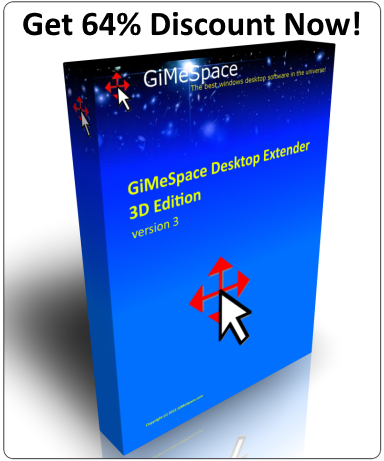
 GiMeSpace Desktop Extender 1D and 2D are the standard editions of the virtual desktop manager. It is a small and very simple program for Windows XP or later versions that will allow you to expand your desktop without any limits. When you move your mouse to the edge of your screen you will notice that your desktop extends beyond the borders of your normal desktop. It provides a cheap alternative for adding more monitors to your computer. Also if you are used to have multiple screens at home or at work, this program can bring you the same functionality on your laptop when you travel.
Some graphic cards offer the option of hardware panning when the physical screen is smaller then the hardware buffer. This program is offering a similar function, but the size of your desktop is much bigger (no limits!).
In the 2D edition you can also make the size of your windows bigger then your physical screen resolution! You can save and restore your window positions and sizes. And you can also limit your virtual desktop size to the space used by your application windows. New in the 2D edition is the option to reverse the scrolling direction like when you use your tablet, touch screen or phone to scroll the screen. Try out the free trial version to experience the freedom of more desktop space!
When using this program it is highly recommended to turn off "windows snap" since your desktop is now much bigger that option doesn't make much sense any more. Turn "Snap" off in Windows Settings > System > Multitasking.
Much easier is using the autoarrange option in the Desktop Extender.
The latest version now fully supports the multiple desktop interface of Windows 10/11 and fully save and restore your windows desktop.
Download GiMeSpace Desktop Extender 2D version 2.5.7 and test it for 30 days for free:

$29 AUD ( ~ $19 USD)
When using this program it is highly recommended to turn off "windows snap" since your desktop is now much bigger that option doesn't make much sense any more. Turn "Snap" off in Windows Settings > System > Multitasking.
Much easier is using the autoarrange option in the Desktop Extender.
The latest version now fully supports the multiple desktop interface of Windows 10/11 and fully save and restore your windows desktop.
Download GiMeSpace Desktop Extender 2D version 2.5.7 and test it for 30 days for free:
$29 AUD ( ~ $19 USD)
Download GiMeSpace Desktop Extender 1D: version 1.4.6 (This edition only allows scrolling in horizontal direction and has only the most basic options)
$23 AUD ( ~ $15 USD)
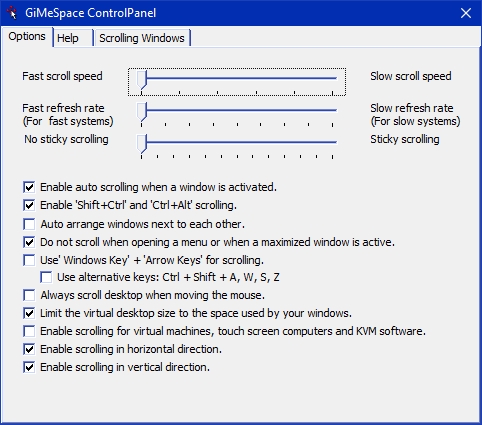
Screen shot of the Control Panel of GiMeSpace Desktop Extender 2D:
Demo videos: